Complete Tutorial Guide
Learn how to get the best results with our professional restoration tools. From damaged comics to vibrant colorized manga - we've got you covered.
Comic Restoration
What is Smart Restoration?
Smart Restoration uses advanced technology to intelligently repair and enhance damaged comic pages. It can fix:
- Yellowing and discoloration from aging paper
- Scratches, tears, and physical damage
- Faded colors and washed-out artwork
- Low resolution scans and blurry images
- Stains, foxing, and water damage
Perfect for vintage comics, old scans, and damaged pages that need professional-grade restoration.
How to Use:
Upload Your Image
Click the upload area or drag & drop your comic page. Supports JPG, PNG, and WebP formats up to 20MB.
Select "Comic Restoration" Tab
Make sure you're on the Comic Restoration tab (the default tab when you open the app).
Enable Smart Restoration
Toggle the "Smart Restoration" switch to ON. This activates the damage detection and repair system.
Process & Download
Click "Process Image" and wait for the processing. Download your restored high-resolution result!
Recommended Settings (Default)
Tip: The system automatically analyzes your image and applies the optimal restoration. No manual adjustments needed for most images!
Restoration Examples (Before → After)
Drag the slider to compare original and restored versions:
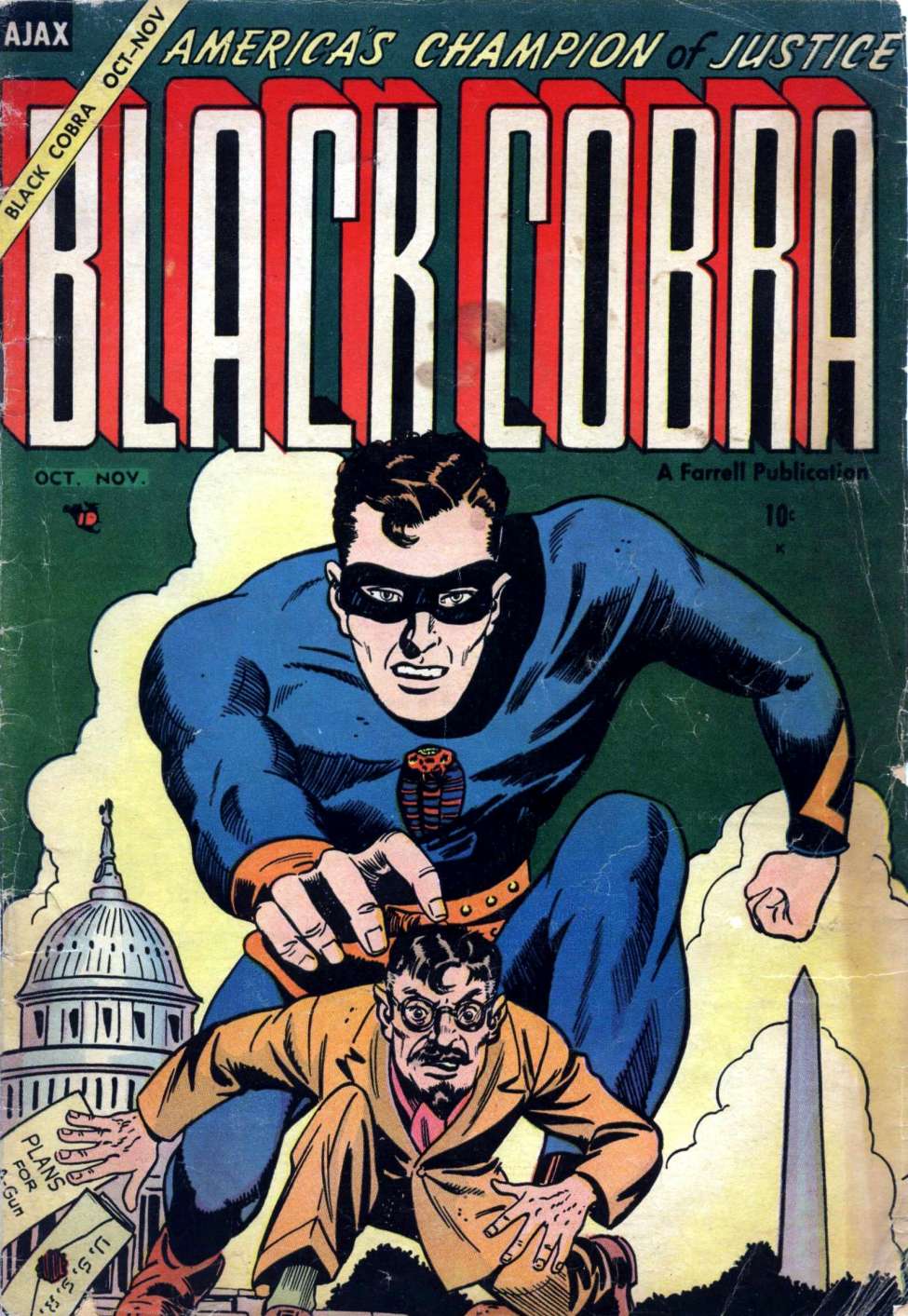
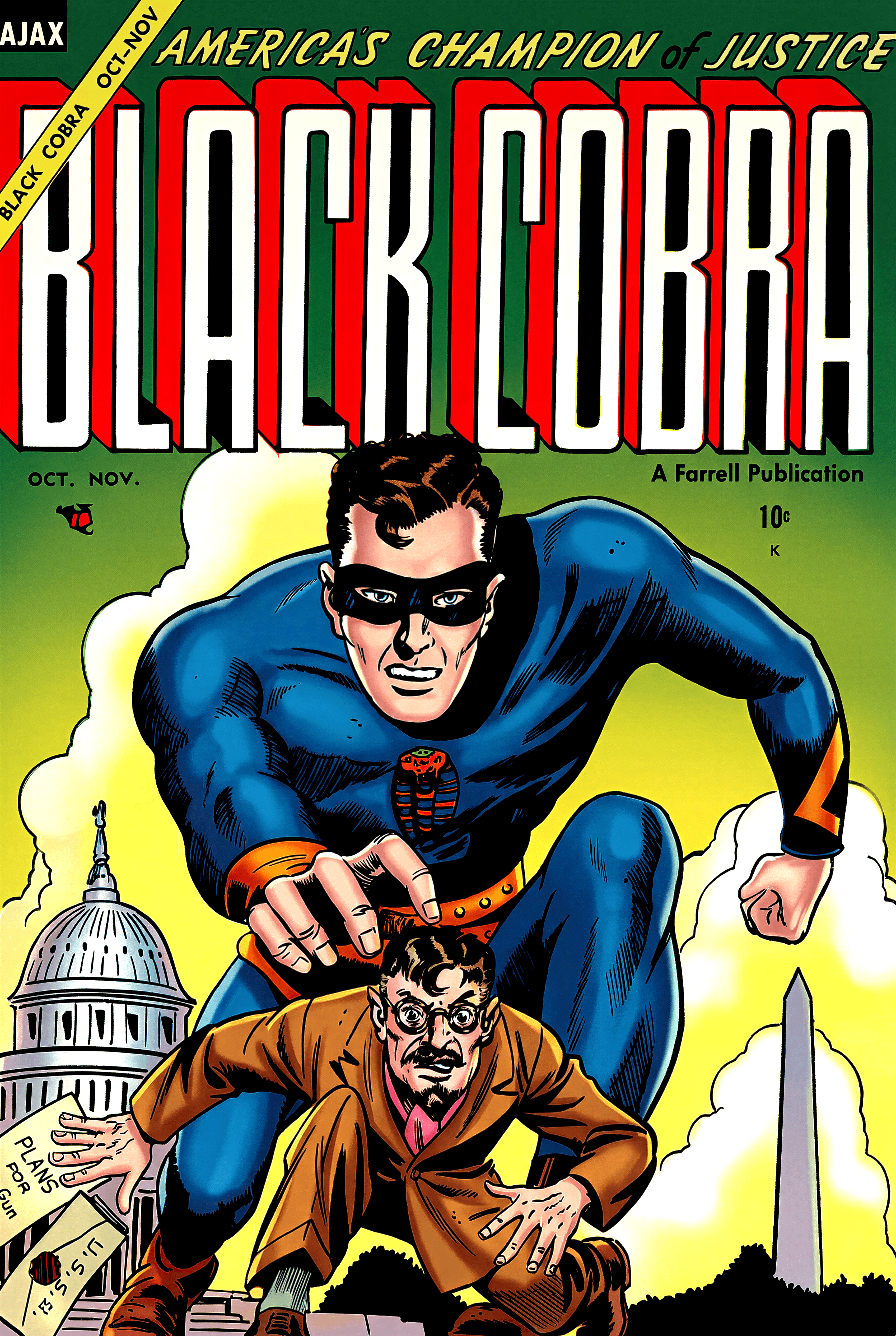
Faded comic page restored to vibrant colors
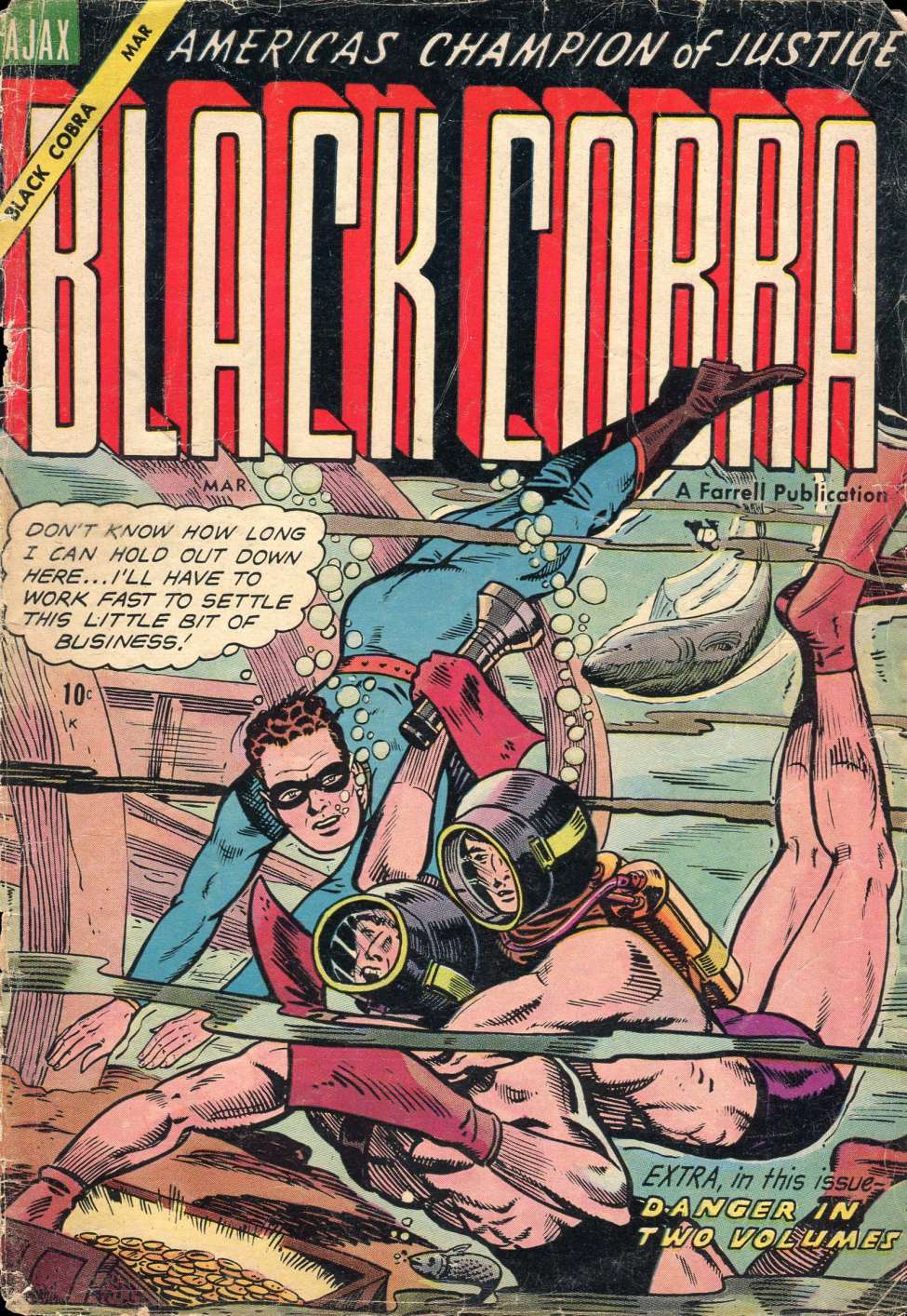
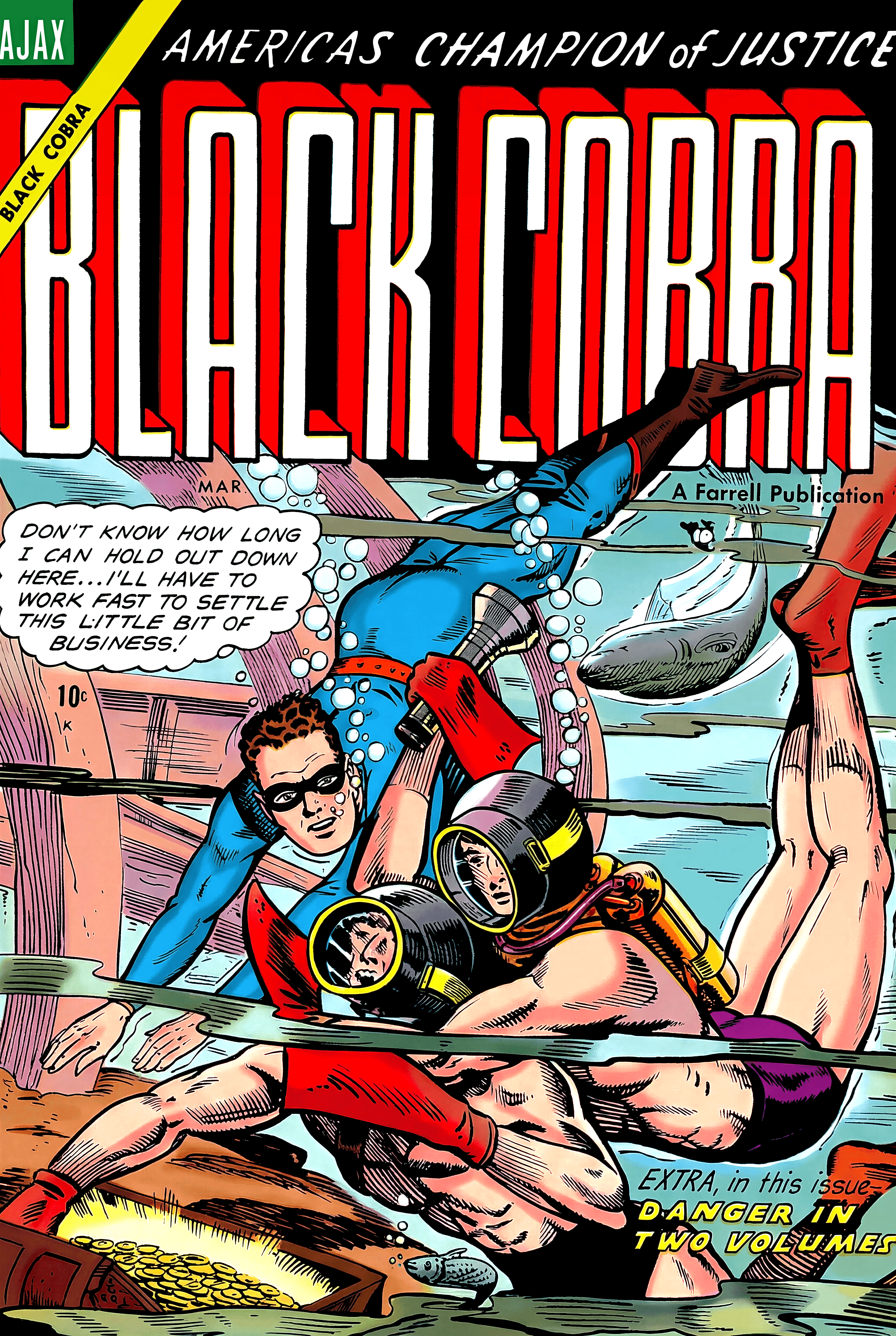
Damaged artwork repaired and enhanced
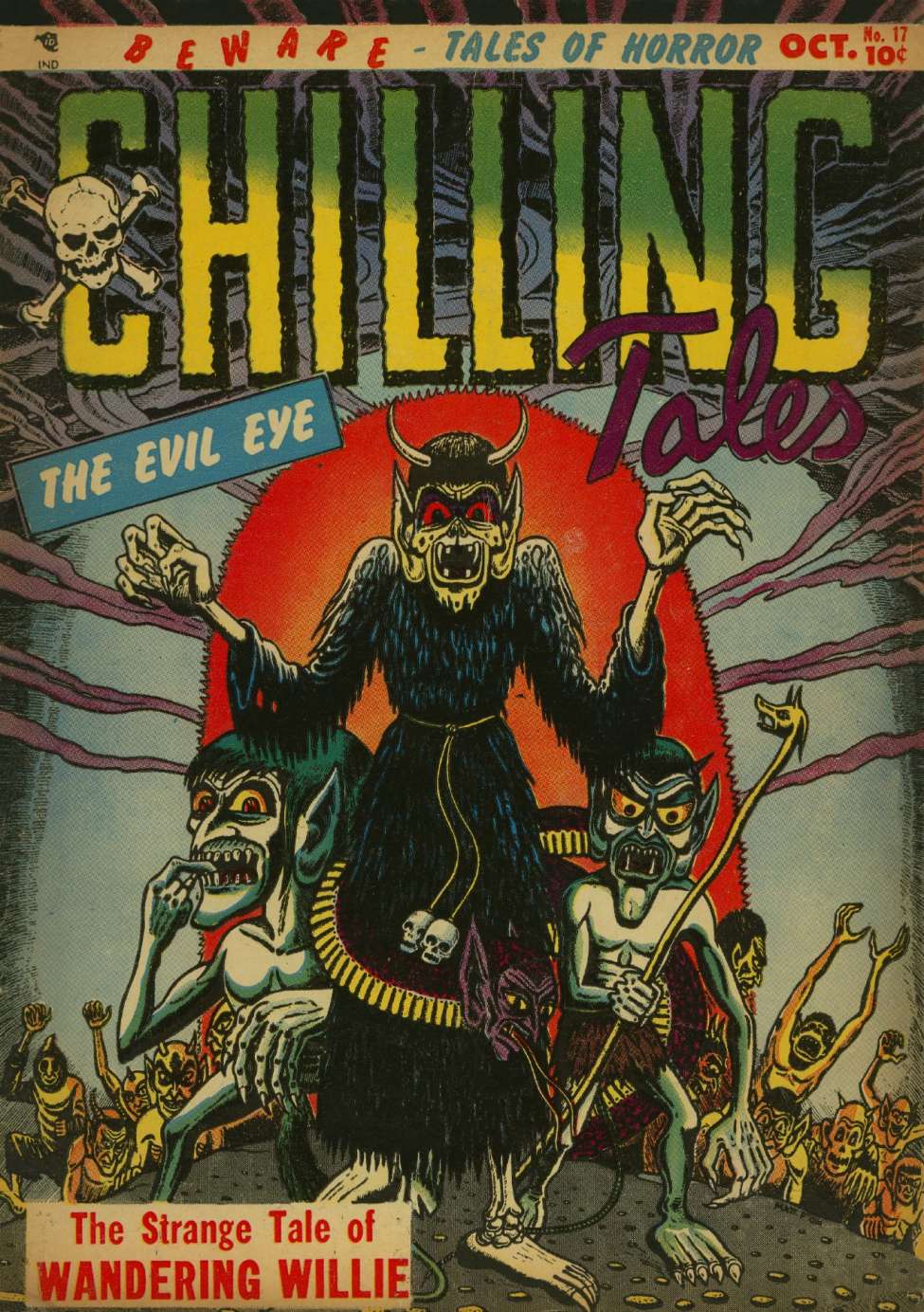
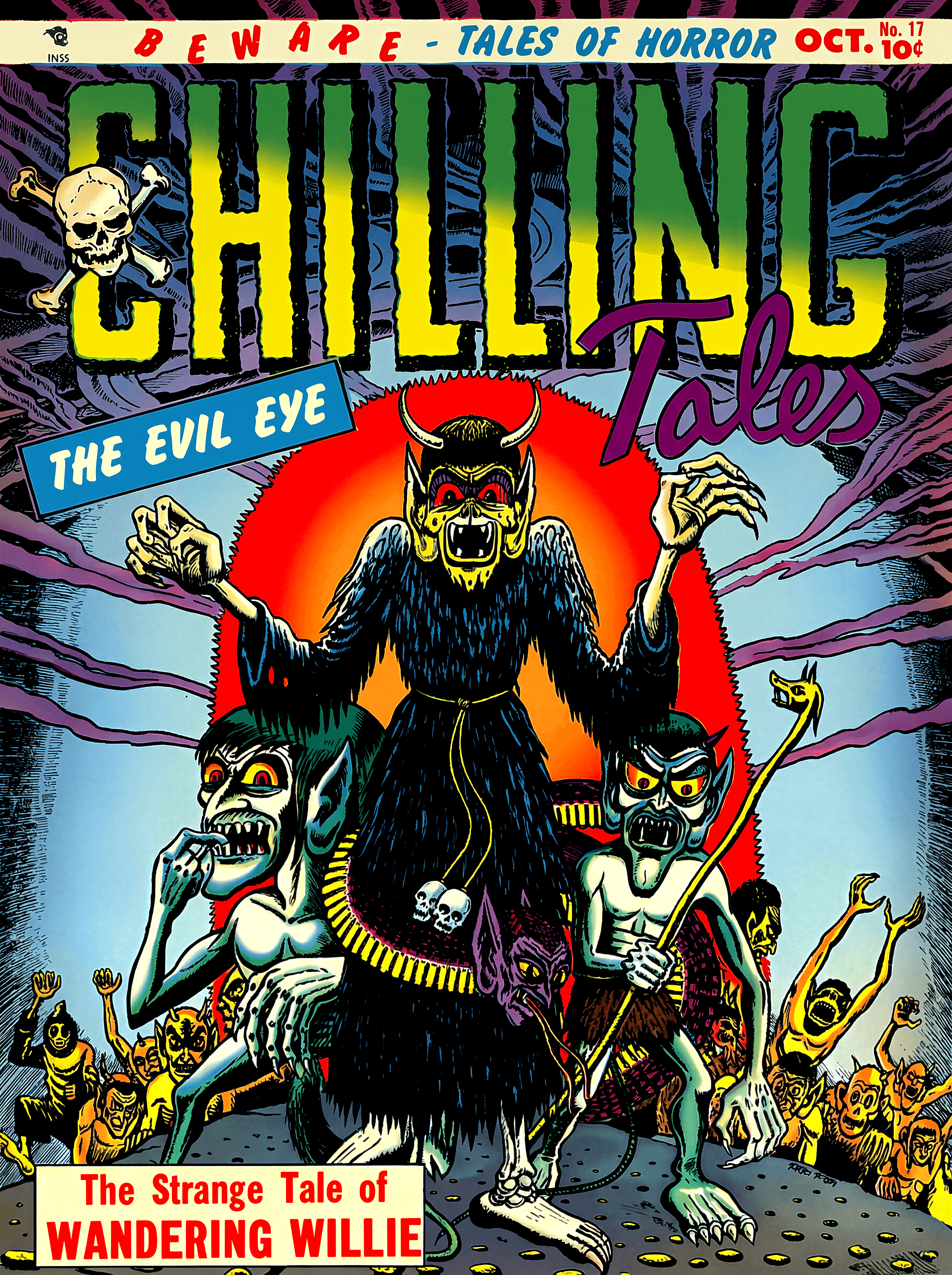
Low quality scan upscaled to 4K clarity
Pro Tips for Best Results
- Use the highest resolution scan you have available
- For severely damaged pages, process twice for better results
- Best results are achieved on scans that are at least 300 DPI
- Color comics get automatic color correction and enhancement
Art Detail
What is Art Detail?
Art Detail is designed specifically for black and white manga and comics. It improves your scans without adding color, preserving the original artistic style:
- Sharpen blurry lines and details
- Upscale to higher resolution (up to 4K)
- Improve contrast and clarity
- Clean up noise and artifacts
- Preserve original B&W aesthetic
Ideal for manga fans who want cleaner scans while keeping the original black and white look.
How to Use:
Upload Your Manga
Upload your black and white manga page. Works best with scans or screenshots.
Select "Art Detail" Tab
Click on the Art Detail tab to access the specialized black and white tools.
Keep Default Settings
The system automatically optimizes for B&W content. Default settings work great for most images.
Process & Download
Click process and get your enhanced manga page with sharper lines and better clarity!
Recommended Settings (Default)
Tip: Art Detail mode uses specialized algorithms that preserve line art quality better than general upscalers.
Pro Tips for Art Detail
- Works exceptionally well on low-quality manga scans
- Preserves screentones and hatching patterns
- For printed manga, scan at 300+ DPI for best input
- Great for preparing manga for e-readers with higher resolution displays
Manga Colorization
What is Smart Colorization?
Smart Colorization transforms black and white manga into vibrant, full-color artwork. Our system has been trained on thousands of anime and manga styles to produce stunning results:
- Intelligent character and object recognition
- Context-aware color selection
- Multiple coloring styles (Anime, Vibrant, Natural)
- Preserves original line art while adding color
- Works with any manga or comic art style
- Automatic scan enhancement - your manga is upscaled and cleaned before colorization
Turn your favorite black and white manga pages into colorful masterpieces!
Note: You don't need to use Art Detail before colorizing! The colorization process automatically enhances and upscales your scan first, so just upload directly to Manga Colorization.
How to Use:
Upload B&W Manga
Upload your black and white manga page that you want to colorize.
Select "Manga Colorization" Tab
Switch to the Manga Colorization tab to access the coloring tools.
Choose Color Style (Optional)
Pick from Anime, Vibrant, or Natural styles. Default works great for most manga!
Process & Download
Click process and watch your manga come to life in full color!
Recommended Settings (Default)
Tip: Just enable colorization and let the system do the work! Default settings produce excellent results.
Using Reference Images (Advanced)
Reference images help the system use accurate colors for specific characters. Here's how it works:
How Reference Images Work:
- Upload a colored image of the character (official art, anime screenshot, etc.)
- The system extracts the character's colors (hair, skin, eyes, clothing)
- These colors are then applied to match characters in your manga panel
- You can add descriptions for each character (hair color, clothing, etc.)
Important Tips for Reference Images:
- Delete after extraction: Once the system has extracted the character colors, you can delete the reference image. Keeping it may cause the system to copy the reference image's art style instead of just the colors.
- Clothing must match: Whatever the character is wearing in the reference image should match what they're wearing in the manga panel. If clothing differs, the results may be inconsistent.
- Edit descriptions if needed: If the character's outfit in your manga panel differs from the reference image, edit the clothing description to match what's actually shown in the manga panel.
Critical: Hidden Body Parts
If a character's body part is not visible in the manga panel, you must set that description to "N/A" or leave it empty.
Why? If you describe something that isn't shown (e.g., "blue pants" when only the upper body is visible), the system may try to add those elements to the image!
Example Scenario:
| Manga panel shows: | Character from waist up only |
| [X] Wrong: | Bottom: "Blue jeans" / Shoes: "White sneakers" |
| [OK] Correct: | Bottom: "N/A" / Shoes: "N/A" |
Tip: Always check what's actually visible in your manga panel and only describe those elements!
Colorization Examples (B&W → Color)
Drag the slider to compare original black & white and colorized versions:
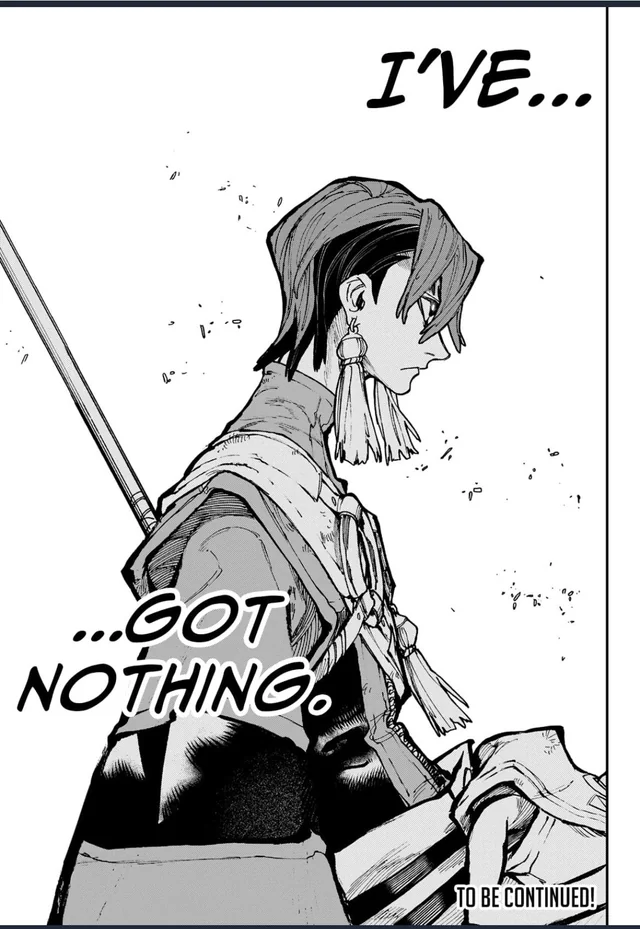
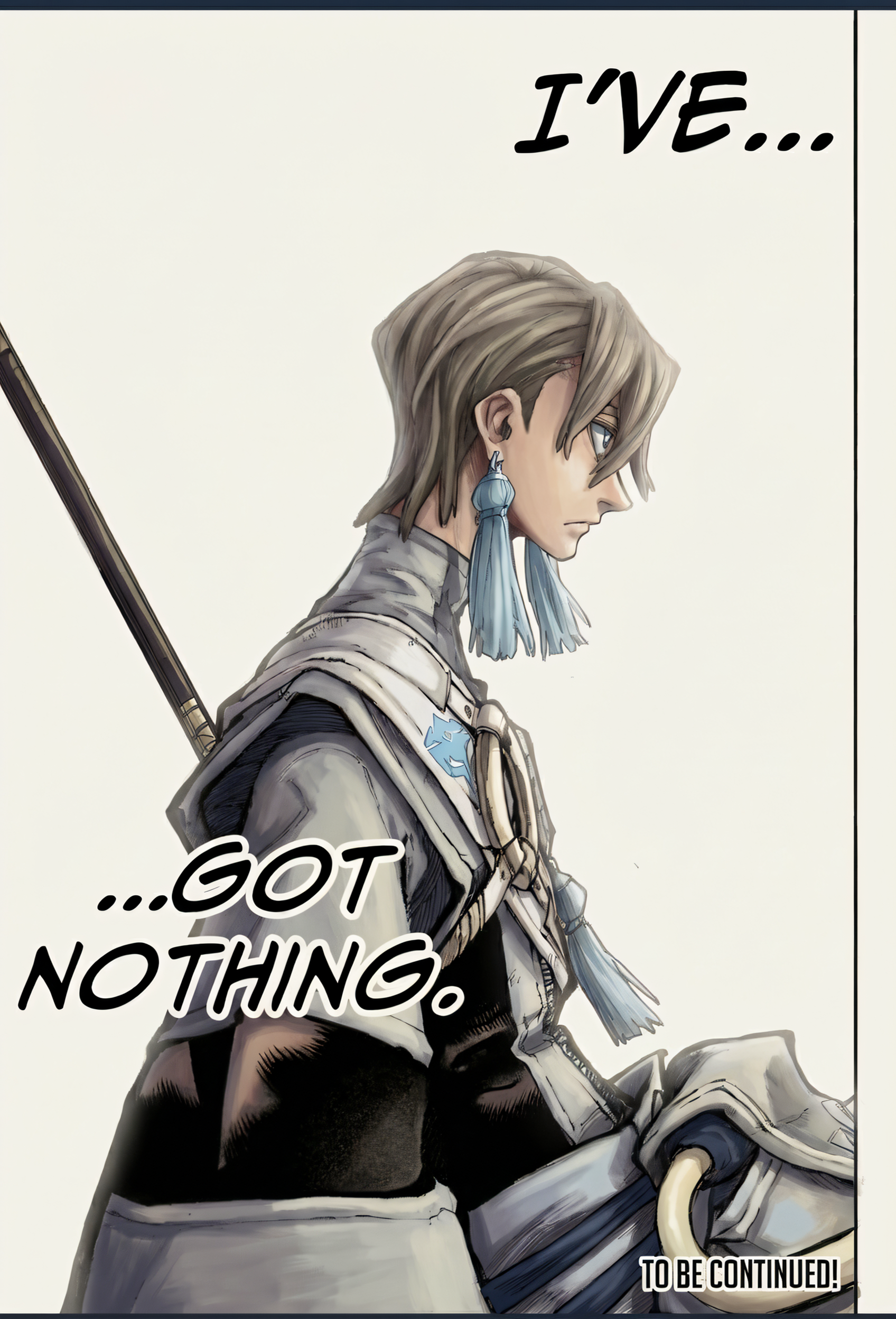
Manga panel brought to life with vibrant colors
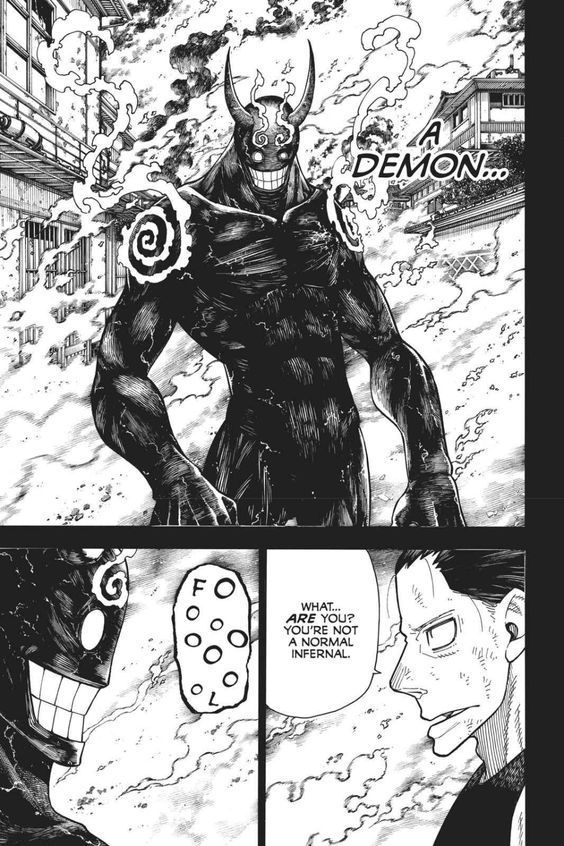
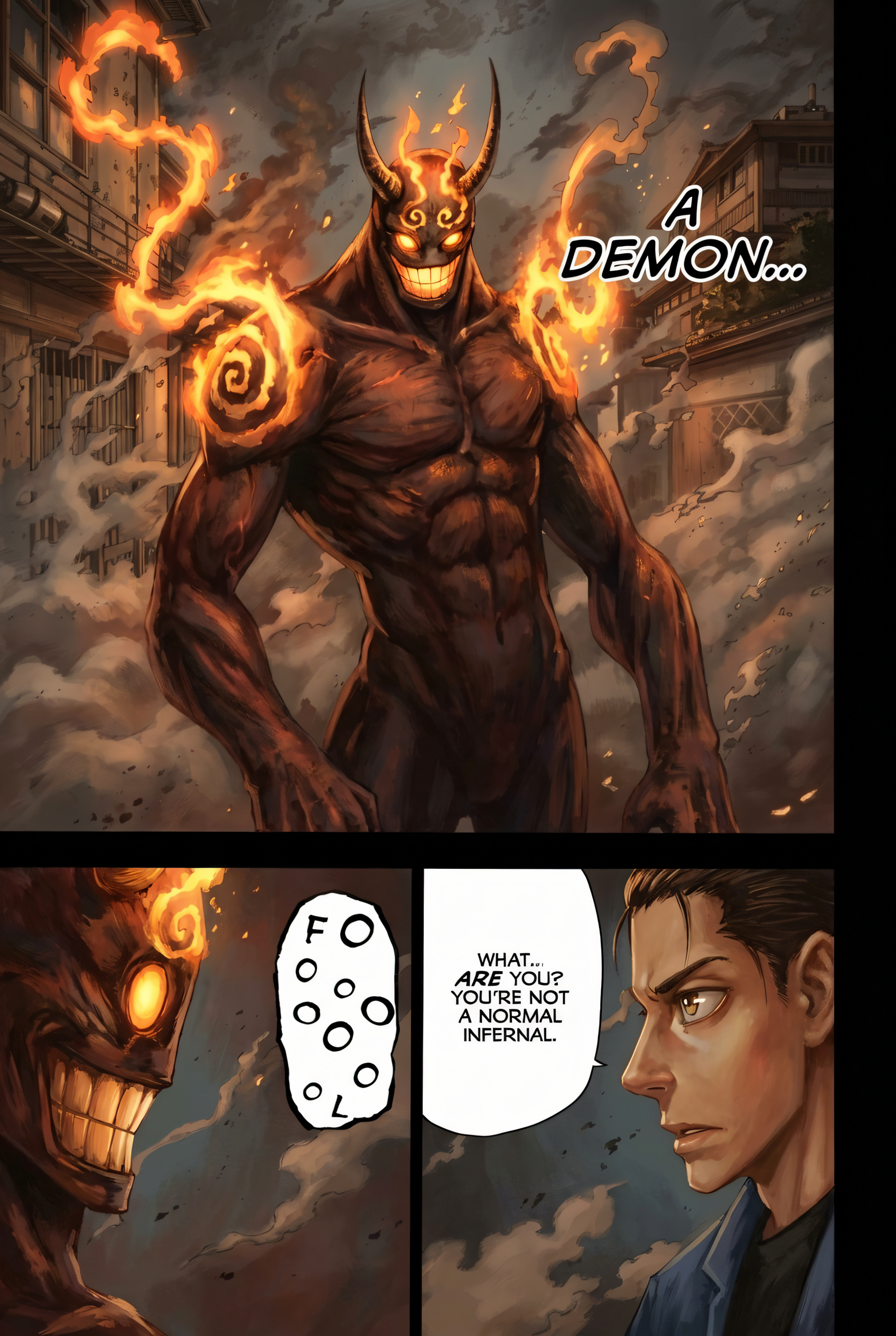
Character art with accurate skin and hair colors
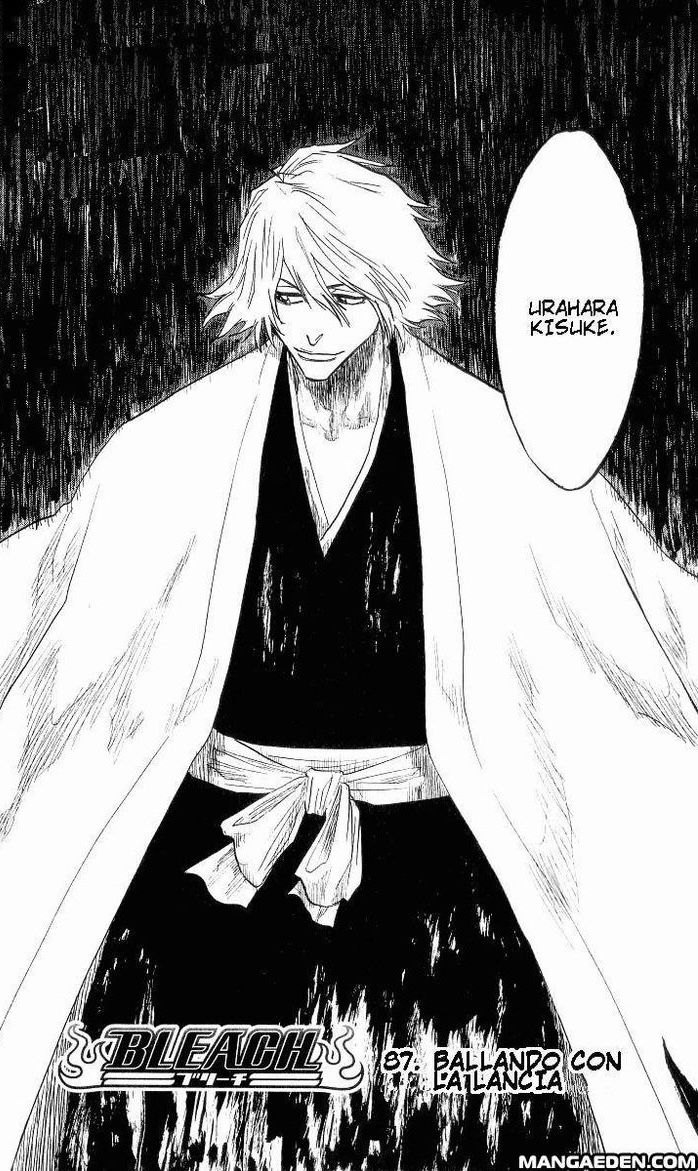
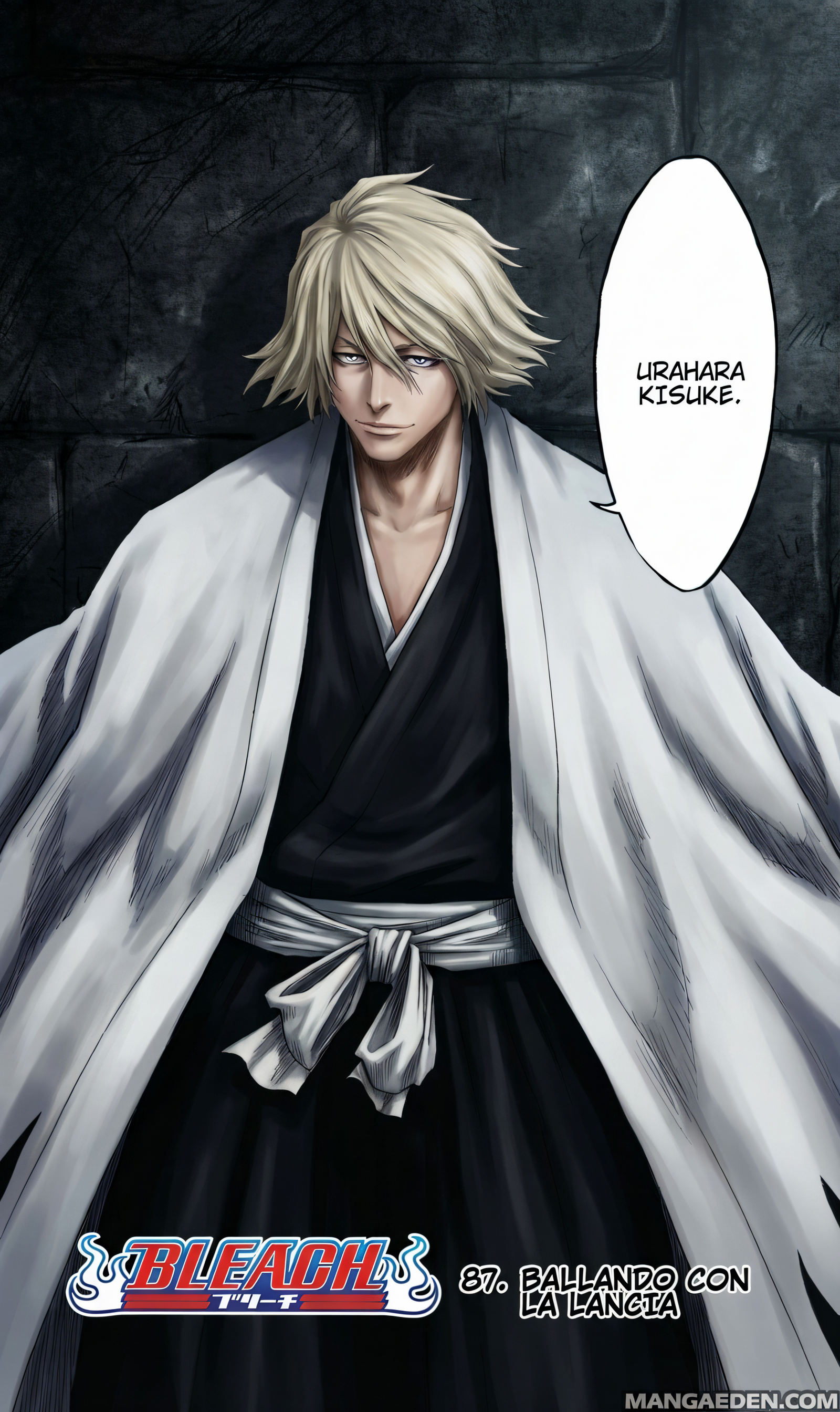
Complex scene with intelligent color choices
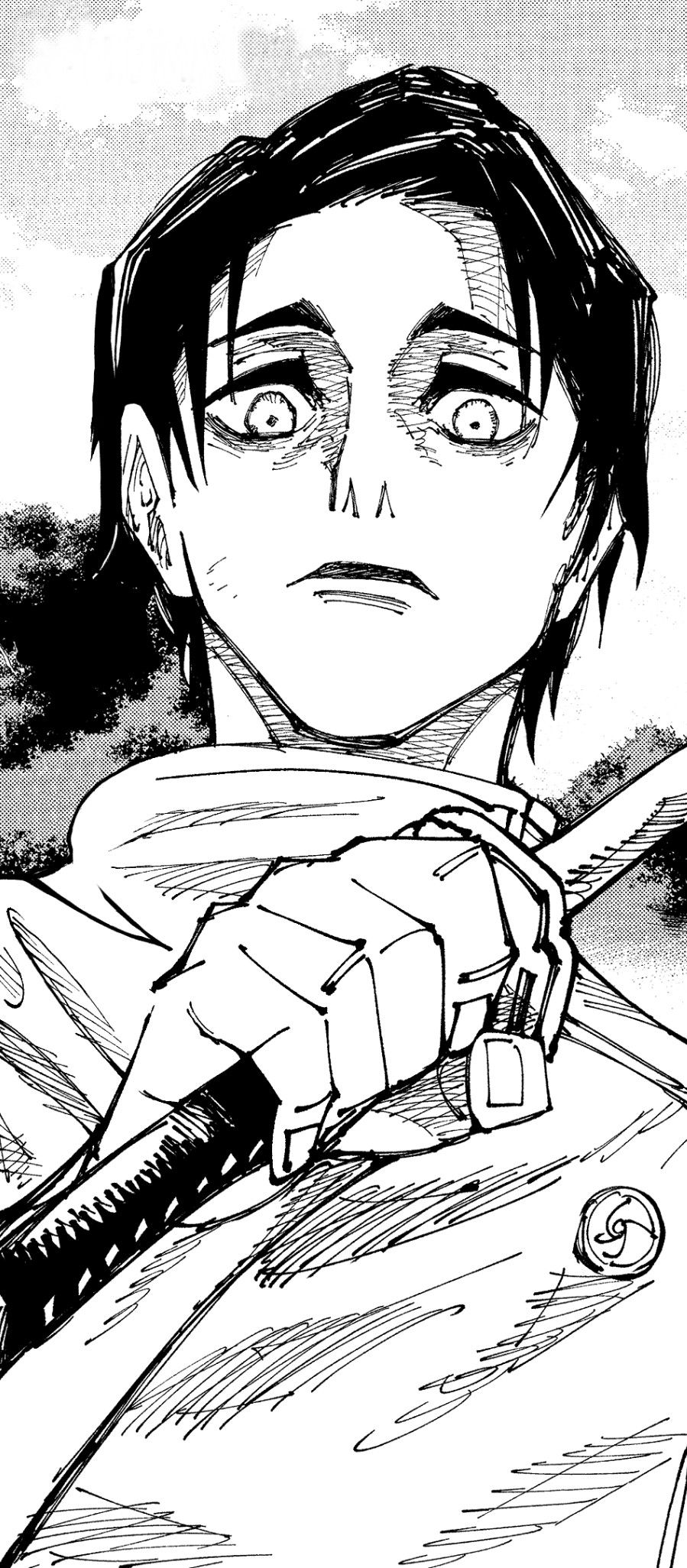
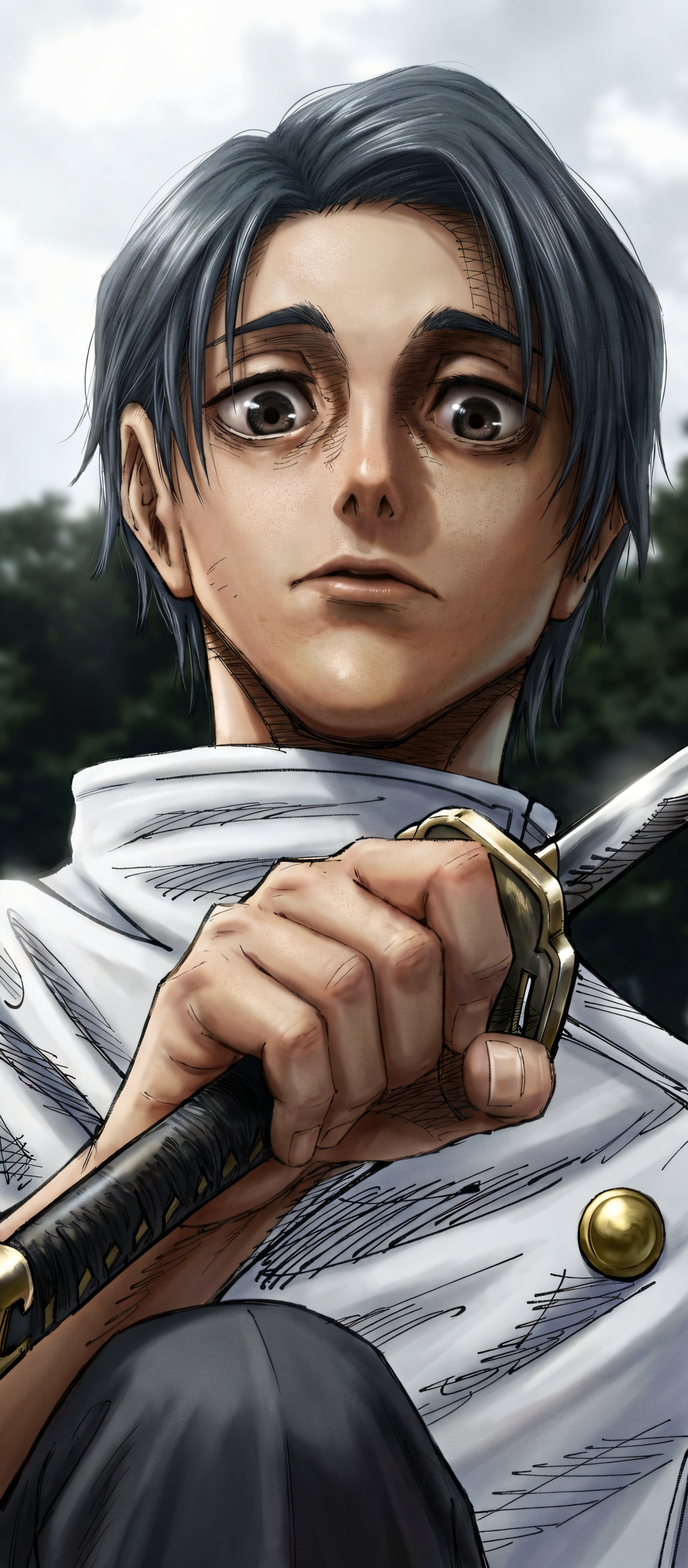
Action scene with dynamic coloring
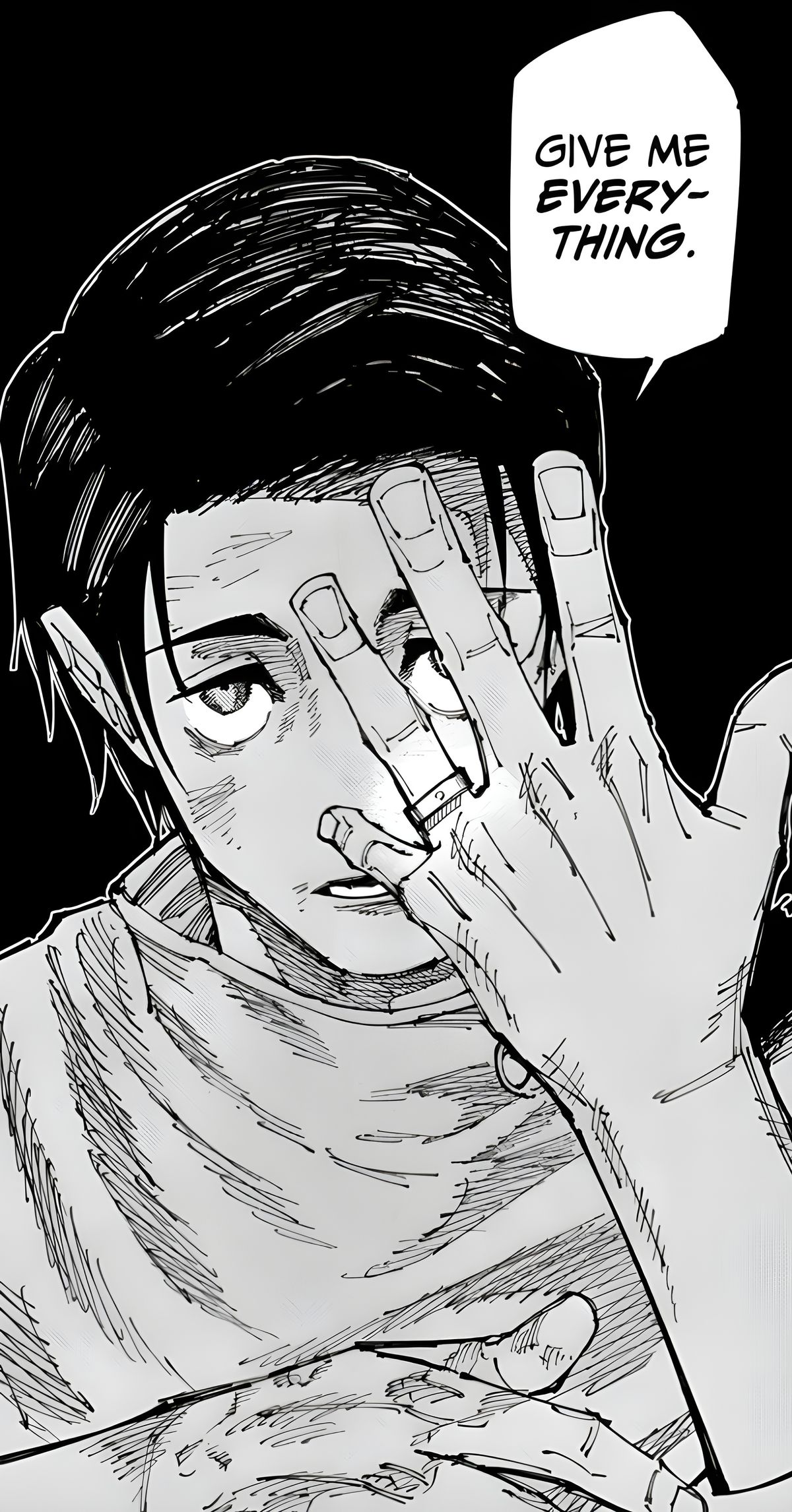
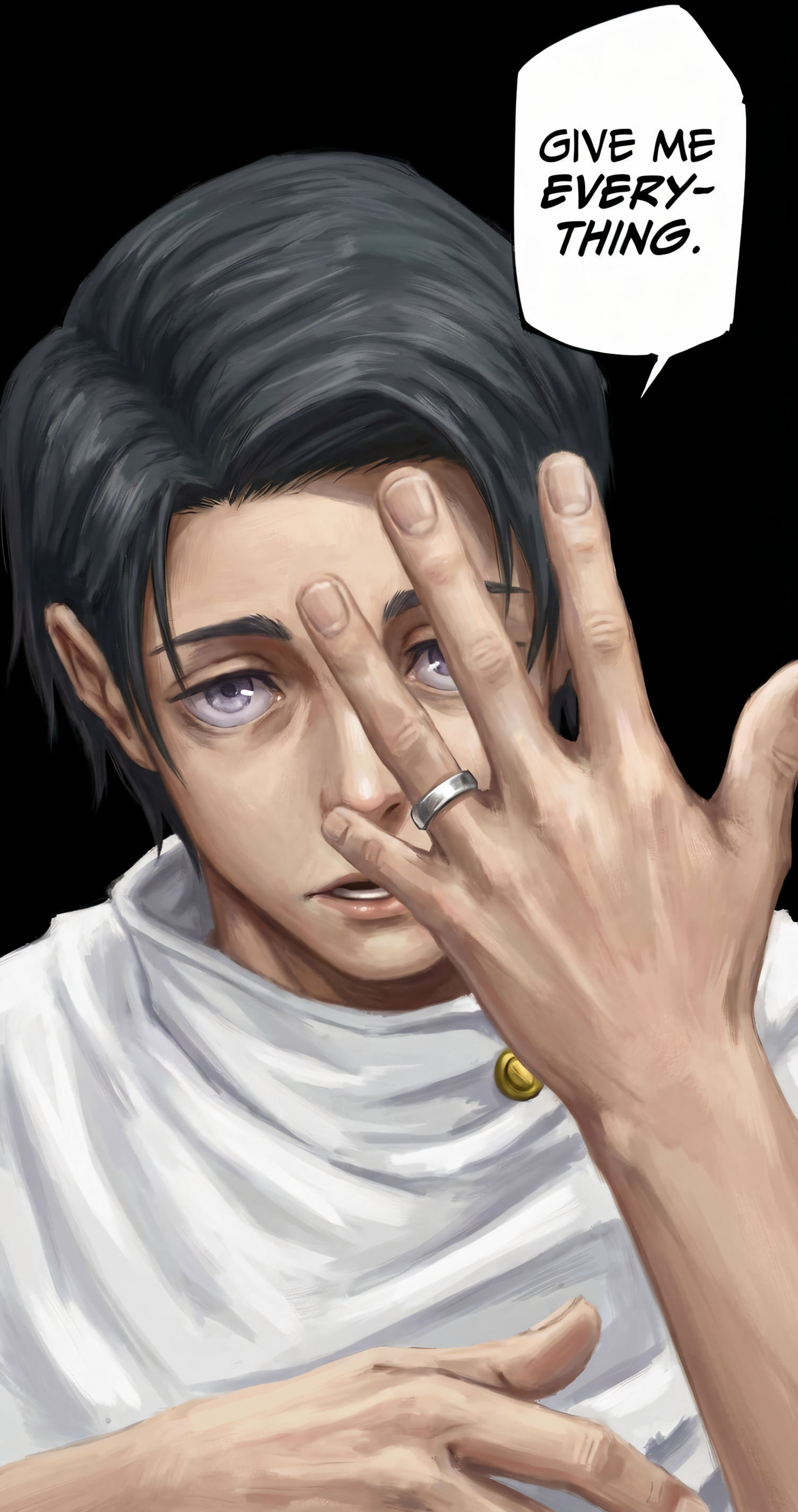
Full page transformation with consistent colors
Pro Tips for Best Colorization
- No pre-enhancement needed: Colorization automatically enhances your scan first - no need to use B&W Enhancement separately!
- The system recognizes common manga elements (skin, hair, sky, grass, etc.)
- Delete reference images after color extraction to avoid art style copying
- Only describe body parts/clothing that are actually visible in the panel
- Use "N/A" for any clothing items not shown (pants, shoes, etc.)
- If reference outfit differs from manga, edit the description to match the manga
- Colorize a test page first to check the style before processing many pages
- Works best on manga with clear line art and minimal noise